
Check a code in an image
Upload the final artwork or a photo of the packaging. We read the code as a checkout would and measure what causes most rejections: the blank margin, the size, the bar height, the contrast and the colour. We also tell you what product it is and where it comes from, if we have it. No image to hand? Practise with the workshop.
PNG, JPG or WEBP: the exported final artwork or a photo taken straight on. The image doesn't leave your browser.
Measure in millimetres (optional)
That of the exported final artwork, e.g. 300.
Measured with a ruler on the printed packaging, from the first bar to the last.
Workshop: learn to read the report
The same code with a different fault in each image. Try them in the checker, see what the report says and how it would be fixed in the design. Start with the one that's right.
1. A well-made barcode
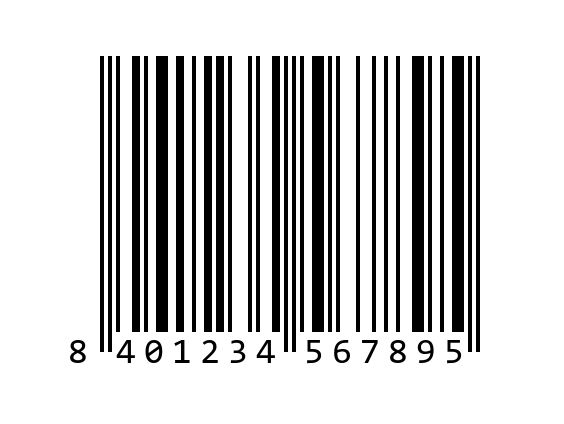
What you'll see: All correct: plenty of blank margin (GS1 requires 11 modules on the left and 7 on the right), bars at full height, good contrast and a 0.33 mm module, 100% of the nominal size.
How to fix it: It's the starting point: compare the other examples with it.
2. Something printed too close
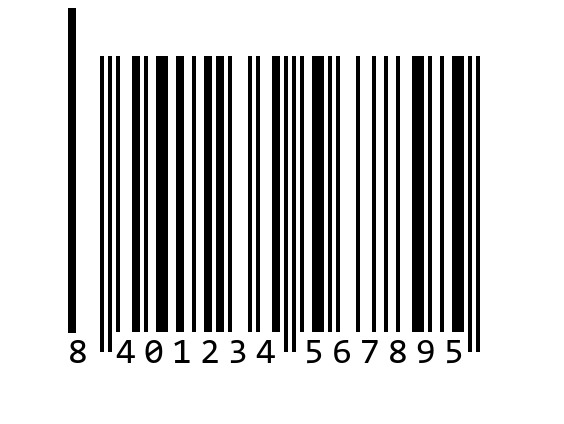
What you'll see: An error in the left margin: there's a line printed 6 modules from the code and GS1 requires 11 blank. It's one of the faults that causes most rejections.
How to fix it: Move text, borders and drawings away: on an EAN-13 at 100%, about 3.6 mm blank on the left and 2.3 mm on the right.
3. Shrunk below the minimum
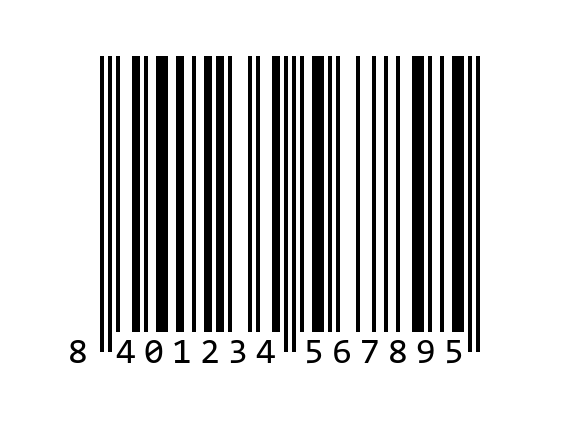
What you'll see: A size error: the module is 0.2 mm, 61% of nominal, and GS1 requires at least 0.264 mm, 80%.
How to fix it: Don't shrink it to make it fit: use at least 80% or find another spot on the packaging with the “Will my code fit?” calculator.
4. Truncated bars
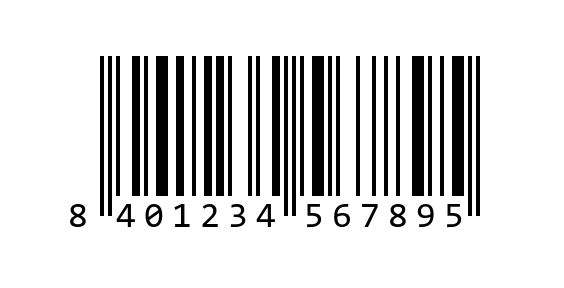
What you'll see: A height error: the bars are 51% of the recommended height for their width, and they read worse at an angle.
How to fix it: Restore the height: 22.85 mm bars on an EAN-13 at 100%. If it doesn't fit, shrink the whole code without going below 80%.
5. Red bars
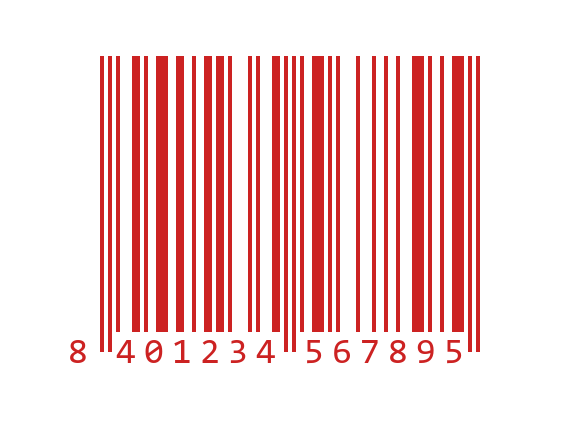
What you'll see: A colour error: checkout scanners use red light and see red as if it were white, even if it looks fine on screen. And a warning for borderline contrast (67%).
How to fix it: Print the bars in black or dark blue, on a white or very light background.
The examples carry their resolution (308 or 508 dpi), so the report also measures in millimetres. With your own images, enter it under “Measure in millimetres”.
Other tools
- Will my code fit?
- Check a barcode
- Calculate the check digit
- Review a catalogue of codes
- GS1 prefixes by country
- Product QR code (GS1 Digital Link)
Where to start with barcodes? Start here (in Spanish): short, free paths in the Academy, depending on what you're here to do.